
Introduction#
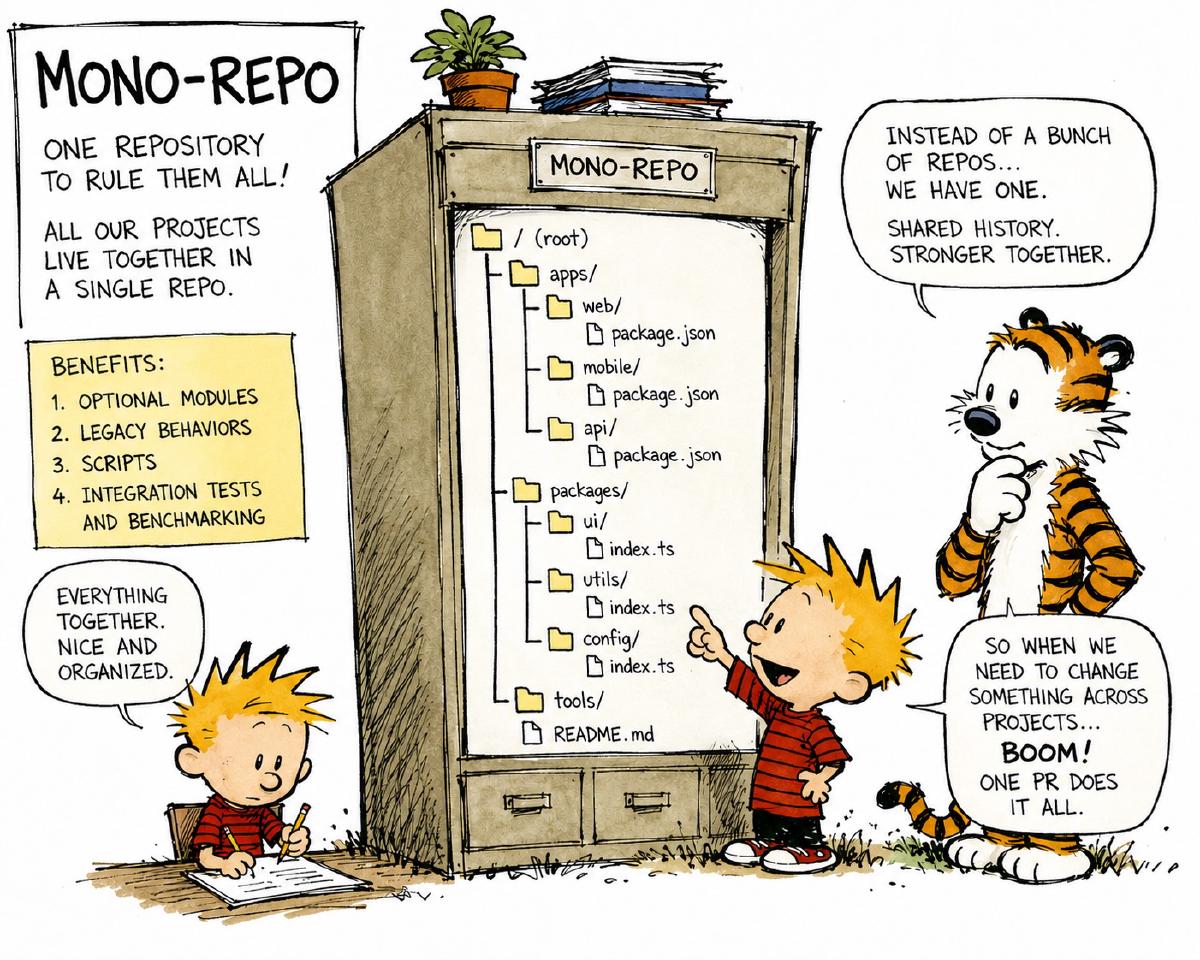
A recent work project presented the ideal opportunity to try using a ‘uv’ Workspace. Briefly, a ‘uv’ Workspace is a way of managing and co-developing related packages alongside a primary library in a single repository, a.k.a, a “mono-repo.” While this system adds complexity and overhead, it also greatly simplifies other common problems found in software development. There are many blog posts detailing how to use a mono-repo using the ‘uv,’ so here I describe four use cases that I have found are greatly simplified by this organizational system.
Optional modules#
It’s common to provide core functionality in the library alongside auxiliary features as optional dependencies. Most users may only want the core features, while other users can pick and choose from these add-ons. Or there may be different ‘flavors’ of a library, for example one that uses ‘polars’ instead of ‘pandas’ as a data frame backend. Developing these add-ons as a separate library allows the first group of users to only install the code that they want, while allowing the second group of users to bring in those add-ons as they need. Other examples can include a CLI or support for different computational methods (e.g., async, multi-threading, multi-processing, or fully distributed computation), hardware acceleration, or cloud compute.
For a project at work, I wanted to have a CLI for my tool to aid in development and testing, but not necessarily expose it to all users. So I developed the CLI as a set separate package in the workspace, but then only distributed the primary library.
Legacy behaviors#
This is fairly similar to the idea of an optional module, but I felt it unique enough to list here as a separate use for a Workspace. The main idea is perhaps conveyed best by way of example: Say, you are working on an algorithm, but have gone through several iterations. In the end, you want to ship only a single option, but you also want to retain the ability to execute your code with the previous versions (for example, to compare results or runtimes). In a Workspace, the older versions can be retired to a “legacy-algorithms” package to retain the code in the same development environment without exposing them in the distributed library.
Scripts#
Another use case for a ‘uv’ Workspace is to have a package that contains the code for running scripts or analyses. I like to organize the scripts into individual modules in the ‘scripts’ package and expose their individual entrypoints in a single “cli.py” module of the package. Analyses, e.g. Jupyter notebooks, can be stored into a “notebooks/” directory, organized by a naming convention that groups related notebooks and encodes the order in which they should be executed (in cases where one notebook may consume the outputs of another). There can also be “data/” and “results/” directories that these notebooks and scripts can use. (Finally, I like to provide a simple command, using a tool like ’nox’, to execute all of the Jupyter notebooks.)
Integration tests and benchmarking#
The final use case that I have personally found facilitated by using a ‘uv’ Workspace are for integration testing or benchmarking. As part of the mono-repo, they can list the primary library as a dependency, then perform more complex tests and benchmarking analyses than would be appropriate for a unit test. By encapsulating these functionalities in the mono-repo, they benefit from all of the common software development tooling and can stay up-to-date with the development of the main library. I have seen many repositories with various benchmarking scripts, most of which no longer run. A mono-repo provides an appropriate and dedicated location for these analyses to be developed and executed alongside the primary source code.